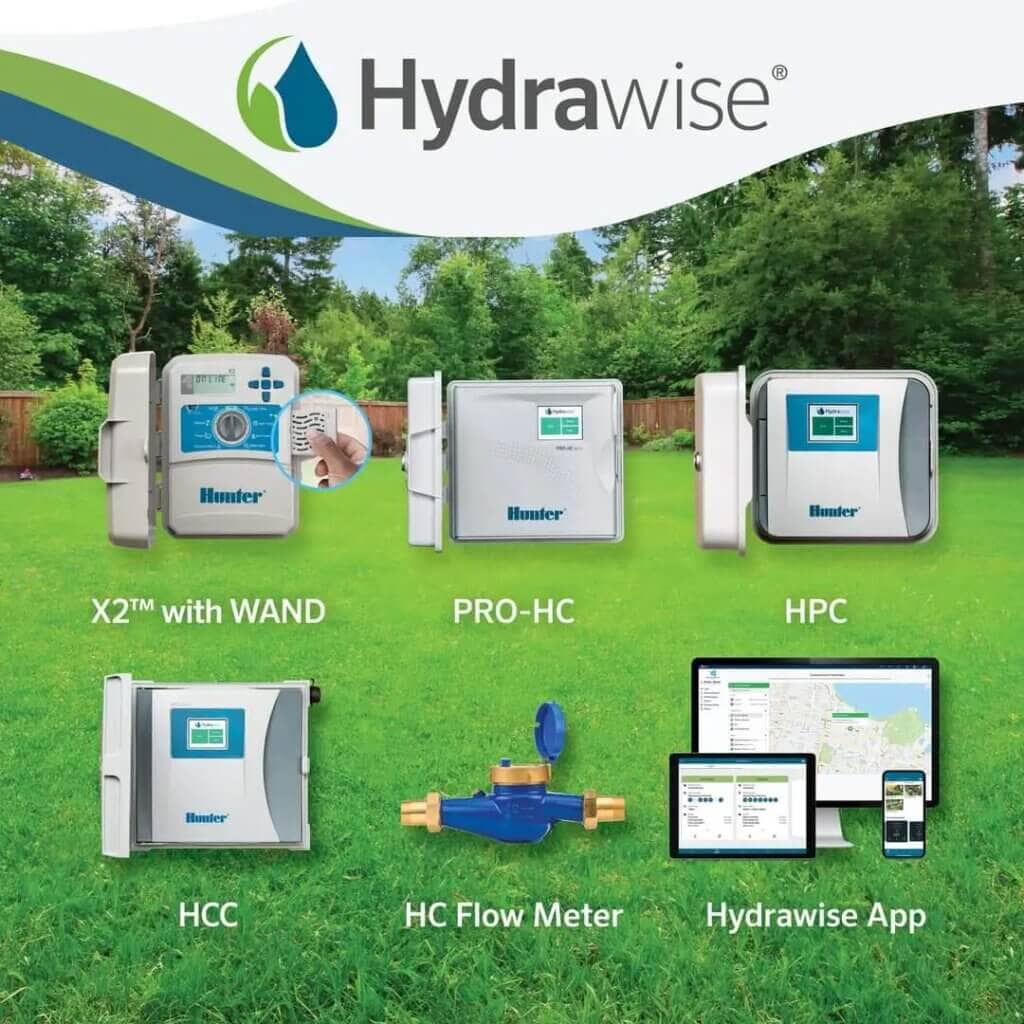
Hunter WiFi Irrigation Controllers
A Hunter WiFi irrigation controller replaces the timer on your wall and lets you run your irrigation from your phone. The real gain isn’t convenience though — it’s that the controller checks the local forecast every day and skips or shortens a cycle when rain is coming, so you stop paying to water a wet garden.
This guide covers which Hunter model suits which system, what Hydrawise actually does, and how to get one wired in and connected.
Shop Hunter WiFi irrigation controllers

Which Hunter WiFi controller do I need?
Start with two questions: how many stations, and indoor or outdoor.
| Model | Stations | Best for |
|---|---|---|
| X2 with WAND module | 6, 8 or 14 | Most homes. Works as a normal dial controller, WiFi optional |
| Pro-HC | 6, 12 or 24 | Larger homes and light commercial. Touchscreen, WiFi built in |
| HCC | 8 up to 54 | Commercial sites, sports grounds, anything that will grow |
| Node-BT | 1, 2, 4 or 6 | Anywhere with no power — battery, mounts on the valve |
X2 — the one most people want
The X2 is a conventional dial controller that becomes a smart one when you plug in the WAND WiFi module. That matters more than it sounds. If the WiFi drops out, or you sell the house to someone who doesn’t want an app, it still works as an ordinary controller with the dial and buttons.
You can also buy the X2 now and add the WAND later, which spreads the cost.
Pro-HC — when you want the WiFi built in
The Pro-HC has a full touchscreen and Hydrawise on board, no module needed. It also monitors the current draw on each solenoid, so if a valve fails or a wire breaks the app tells you which zone rather than leaving you to work it out. Add a flow meter and it will alert you to a burst pipe.
Available as 6, 12 or 24 station in a weatherproof outdoor cabinet.
HCC — commercial
Modular, so you start at 8 stations and add modules up to 54. This is the controller for parks, sports grounds and multi-building sites, and it’s overkill for a domestic backyard.
No power at the valve?
None of the above help if there’s no mains at the location. The Node-BT runs on batteries for a season and mounts straight to the valve, programmed over Bluetooth from your phone. For a single tap and a hose, the BTT tap timer is simpler again.
What Hydrawise actually does
Hydrawise is the software behind every Hunter WiFi controller. Three things it does that a timer can’t:
Predictive Watering. It pulls forecast temperature, rainfall probability, wind and humidity for your location and adjusts run times before the cycle rather than after. A traditional rain sensor only stops watering once it’s already raining.
Reporting. You can see what actually ran, what was skipped and why, and how much water each zone used. Useful when a bill looks wrong.
Alerts. Offline notifications, and on the Pro-HC and HCC, electrical fault alerts naming the zone.
You’ll want to set each zone up properly in the app — plant type, soil, sun exposure — because that’s what the predictive adjustments are calculated from. A zone left on defaults will water like a dumb timer.
Installing a Hunter WiFi controller
Before you start
- Check you have a usable WiFi signal where the controller will go. A garage or meter box can be a dead spot.
- Hydrawise controllers need 2.4 GHz. If your router is 5 GHz only, or your bands are merged under one name, you may need to split them.
- Photograph the existing wiring before you disconnect anything.
- Turn the power off at the old controller.
Wiring it in
- Disconnect the zone wires from the old controller, noting which numbered terminal each came from.
- Mount the new controller, in the same spot or somewhere with better reception.
- Connect each zone wire to its matching numbered terminal.
- Connect the common wire to the C terminal.
- Connect the transformer and restore power.
- Connect to WiFi through the Hydrawise app.
- Set up each zone in the app with plant type, soil and sun.
Low voltage work on the station side is straightforward. Anything on the 240V supply side is an electrician’s job.
WiFi versus a traditional controller
| Traditional | Hunter WiFi | |
|---|---|---|
| Control | Dial and buttons at the box | Phone, from anywhere |
| Rain | Sensor stops it once wet | Skips ahead of forecast rain |
| Seasonal changes | You adjust it manually | Adjusts daily on its own |
| Fault detection | You notice a dry patch | Alert naming the zone (Pro-HC, HCC) |
| Water use | No visibility | Per-zone reporting |
The honest caveat: if your system is two zones on a small block and you’re happy adjusting it four times a year, a plain controller does the job and costs less. The savings argument gets stronger the more zones you have and the more your watering varies through the year.
Common problems
Controller shows offline. Nearly always signal strength or the 2.4 GHz issue above. Check the signal at the controller, not at the back door.
A zone won’t run. Test it manually from the controller itself. If it runs there but not from a schedule, it’s a programming issue. If it won’t run either way, it’s the valve, the solenoid or the wiring, not the controller.
Watering when it shouldn’t. Check for a second program running. Overlapping programs are the most common cause of a garden getting watered twice.
Buying in Australia
We’re an authorised Hunter stockist and we sell nothing else. Every controller above is held in stock here, not ordered in, and dispatched the same day.
Not sure which model fits your system? The full controller range is here, or send us the number of zones and where the controller is going and we’ll tell you what suits.